

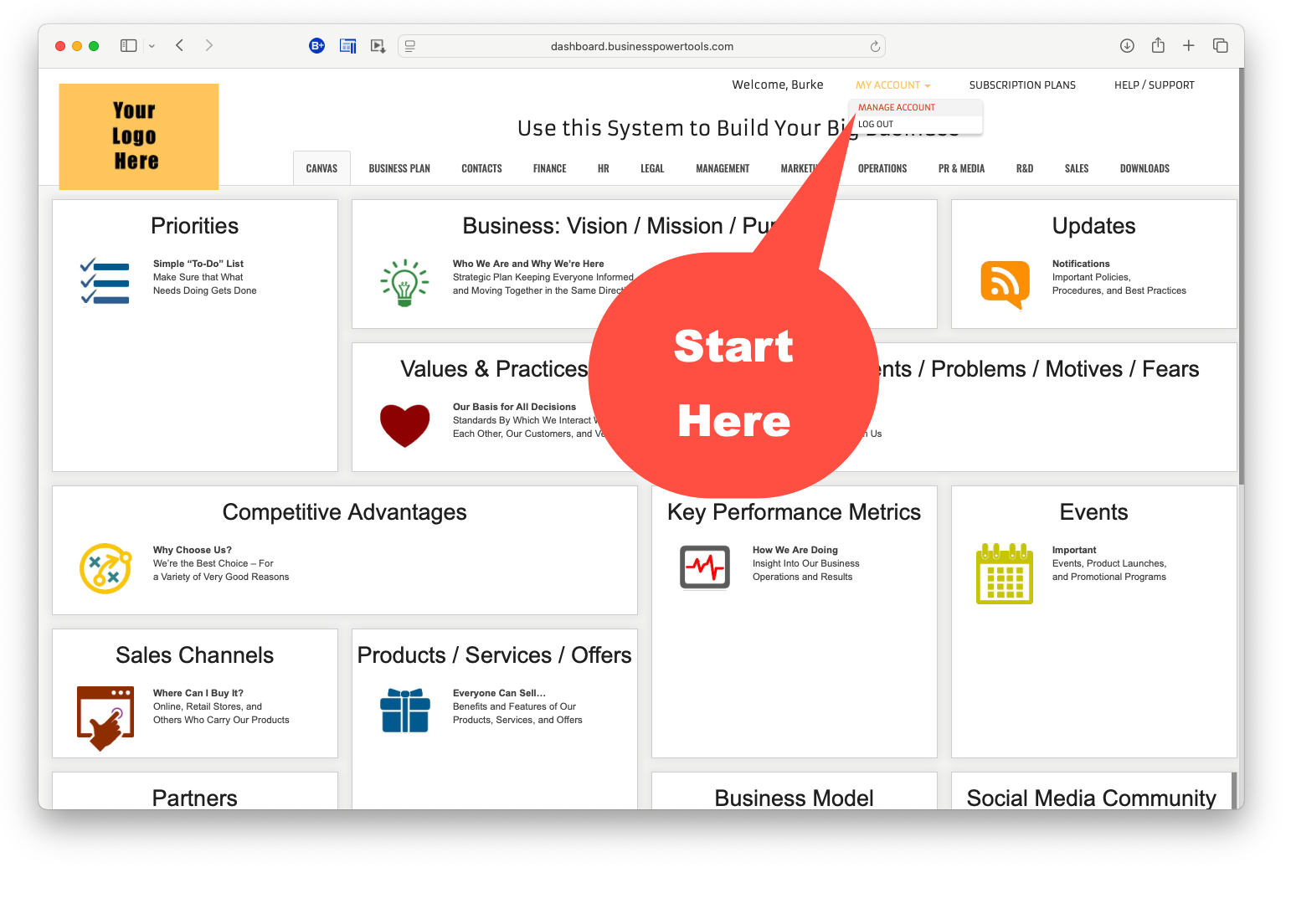
Open your control panel
This is your first step onboard.
- Click “My Account”
- Click “My Company”
- Go to Step 2…

Customize the Dashboard
for Your Business
Take control.
Click to watch the brief video →
Input your business info just this ONCE.
It appears automagically in all the right places.
Saves typing the same things over and over…
(There’s about $1,000 worth of typing alone!)
Own it.
Add your logo and slogan on top.
Go to Step 3.

See what AI does for you now…
Presuming you want to develop your plan first, Click to watch this brief video →
Unlike other business plan templates, every section is loaded with mindfully pre-scripted text from actual business plans cross-pollinating many industries and evolved over the years. Names and data are replaced with multiple choice options. Your company name and industry automagically insert informing the AI. Specific prompts instruct your AI to include all of that assembled content for context to research, edit, and format your plan.
Months → Weeks → Days → Hours → Minutes
Everything you need to know about your market, customers, competitors, risks, regulations…
Fully analyzed, described, quantified and prioritized.
Faster and better than ever.
Here’s what happens when you combine a ton of carefully curated sample content with advanced AI prompts:

What to work on first?
You may be wondering…
“What should do I do first?”
It depends upon your initial priority…
Usually, it’s a plan. Your blueprint or roadmap.
And prioritizing.
Then, you need marketing to get out there.
Building a human intelligence team?
You’ll want policies & procedures…
Explore, start anywhere you need to.
(The videos will give you a good fly-over.)
Try out the navigation – it’s an animated “Bento Box” diagram with a bunch of “drawer-like” tool panels.

Tour the Entire Dashboard
(23:36)
See everything you can do and where
you can easily find all the right tools.
If you’ve got clients, your gears will start turning.
Hmmm…
You’ll get the idea right away.
Click on all the panels, documents,
and calculators.
Click on ’em – they won’t break!
See what’s there.
Strategic Plan/Start-Up/Raise Capital
- Click the Business Plan tab.
- Click on the BizPlanBuilder tile at the top…
- Click the [+] to get started with your business plan.
- Click around to see what other supporting tools you have.
- Video Tutorials are embedded with their respective sections of the business plan.
While you can watch them anytime you like, we recommend watching as you work on that section of your plan.
Marketing / PR / Sales
- Click the Marketing tab…
- Click on Marketing Plan at the top…
- Click the [+] to start your marketing plan.
- Click the PR / Media tab…
- Click around to see what tools you have.
- Click the Sales tab…
HR Policies / Procedures
- Click the HR tab
- Click the Employee Policies Manual tile at the top
- Click the [+] to start your handbook
- Here’s how to use the Employee Handbook system
- It works the same way for:
- Safety Plan
- Business Security
- Sales Proposal Builder
- Click on the Operations tab…
- Open the Safety Plan and give that a read.
- Click around to see what other tools you have.
Canvas
Think of this page as your company “bulletin board.”
How many companies do you know where the right hand knows what the left hand is doing?
Some call it a “Single source of truth.”
The idea is that everyone in your company is actually “ON the same page.”
Except for the Priorities and Updates, every one of these sections is excerpted from our wildly successful BizPlanBuilder business planning software.
Tour the complete business / strategic planning toolset.
The pages aren’t blank! There’s content. A lot has been done for you.
Click above to load the Template content into your Business Plan editor.

These Icons a manage your Docs throughout the system.
Click here for step-by-step written / illustrated directions

To Add / Upload a New Document or Plan, Click [+] (Upper Right Corner)

OK, go for it…
“LOGIN” will be at the Top / Right of your screen — after you click the button below:
Click Here to Access Your DashboardCongratulations for choosing Business Power Tools.
We appreciate you joining us!